
Orders report
Analyse the order mix and preparation times, and open any order in detail.
Updated on November 2, 2026
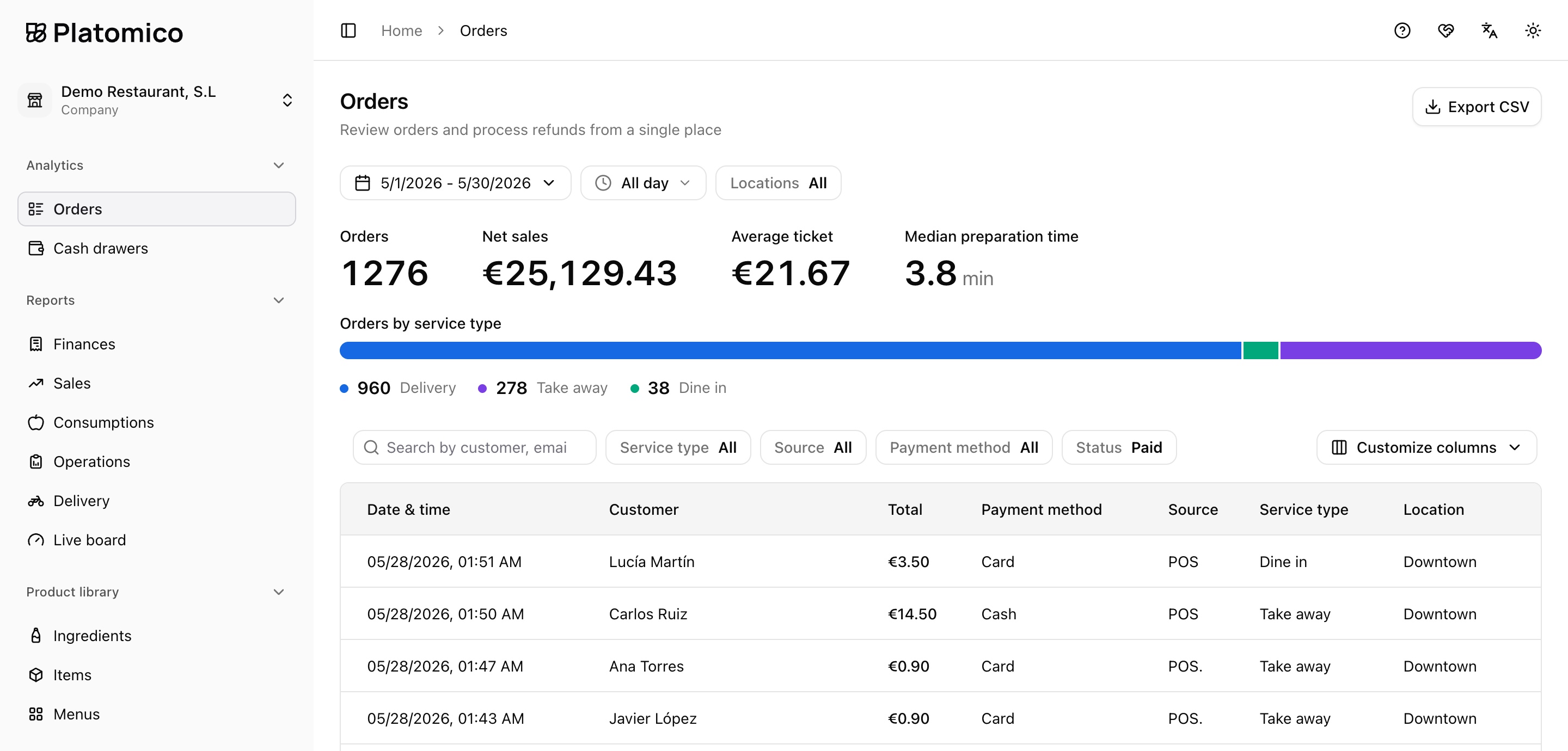
Order mix and preparation time
Analytics › Orders shows Orders, Average ticket and Median preparation time at the top; hover over each one to see its breakdown by channel. Below are Orders by service type and, if you have several locations, Orders by location.
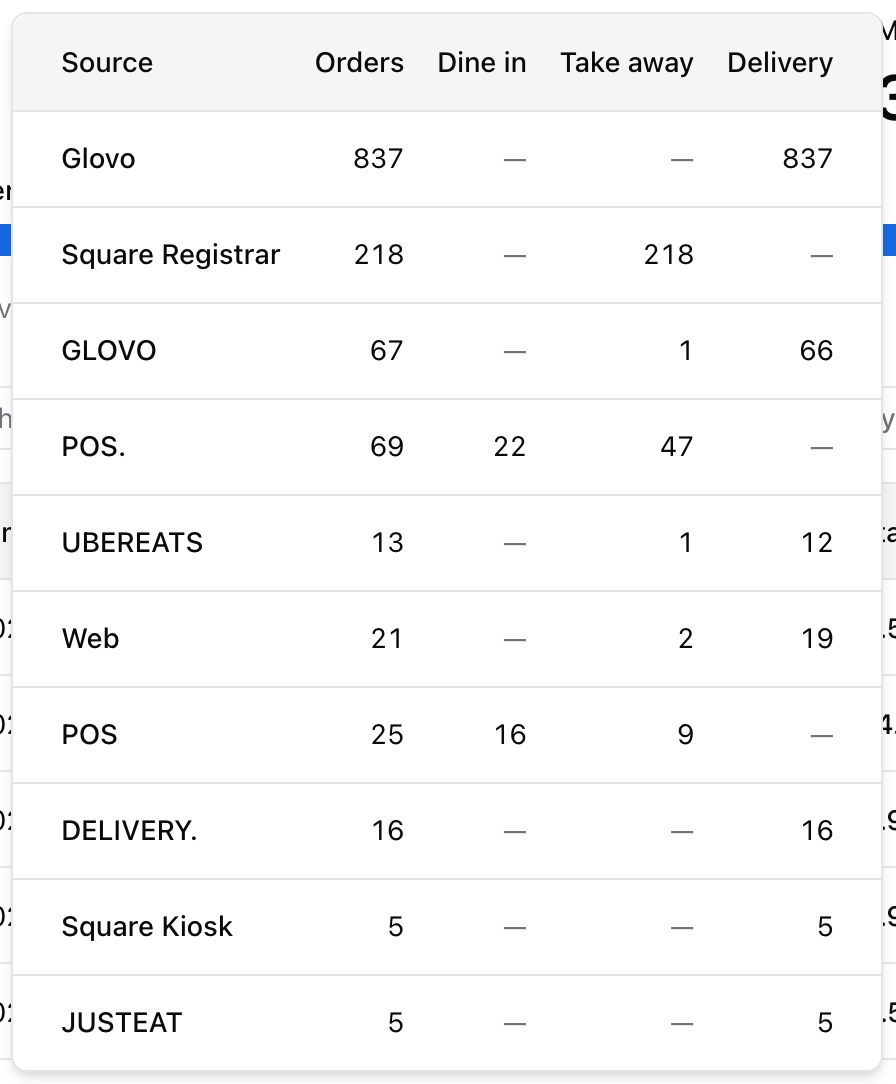
The table lists every order. Narrow it by Service type, Source, Payment method and Status, or search by customer, email, phone, order ID or payment ID. Export CSV downloads the filtered orders.
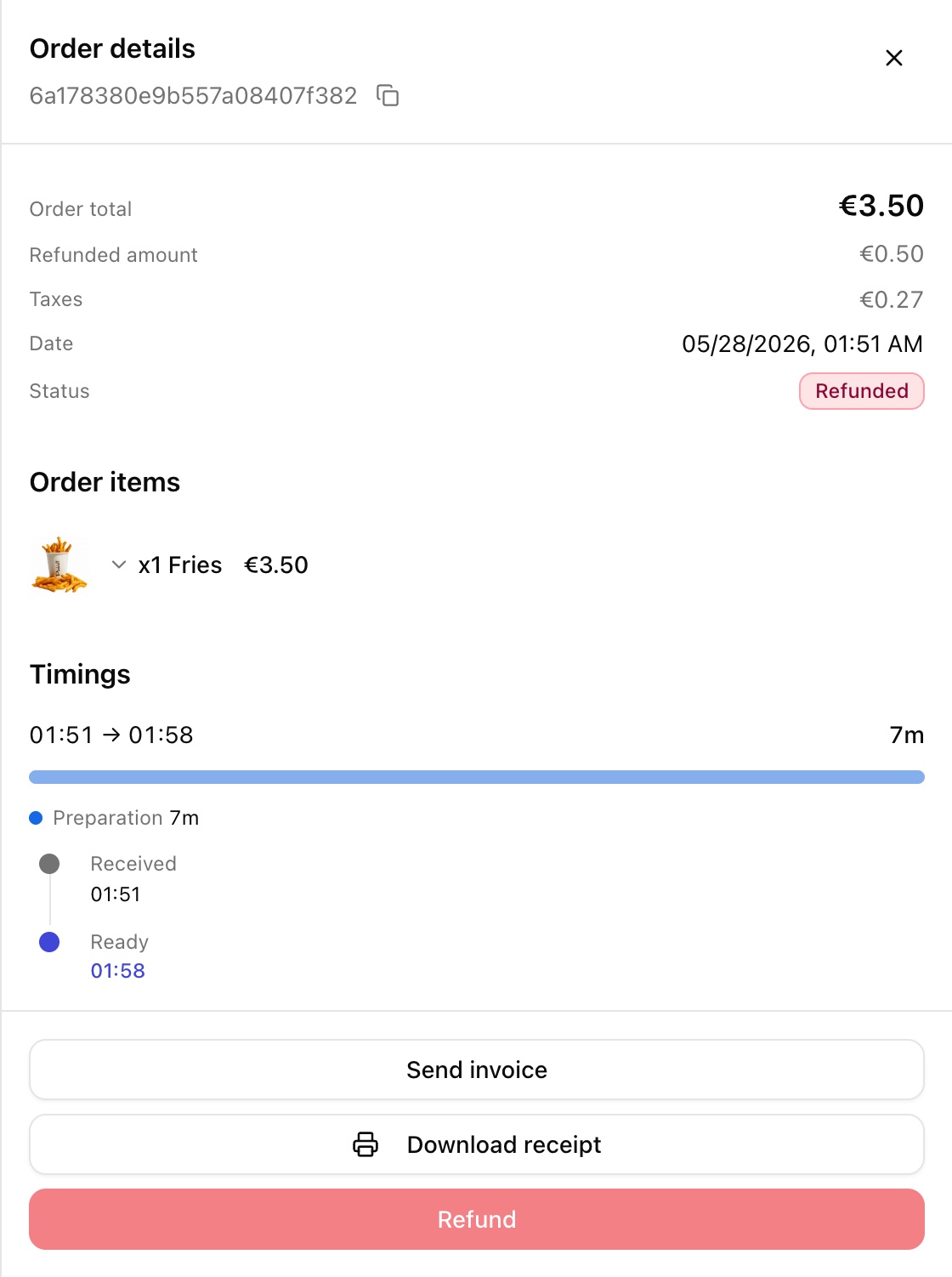
Click an order to open its Order details, with the items, the applied discounts and the Timings section showing its way through the kitchen. From there you can Download receipt, Send invoice or Refund.
Following orders live
Reports › Live board shows one row per location in real time, with the orders in Preparation, Awaiting pickup, On the way and Delivered, plus the current orders and revenue. Pick Last 60 min or Today; it refreshes on its own.
Was this article helpful?