
Getting started with Loyalty
Set up your points or stamps program step by step: program, rewards, card, locations, a test at the till and your first members.
Updated on November 16, 2026
What Loyalty is
Loyalty is Platomico's points or stamps program. Your customers earn with every purchase at the POS and the kiosk, and spend what they collect on the rewards you choose: money off or a free dish.
They need no app: they identify themselves with the QR on their card, which they keep in Apple Wallet or Google Wallet, or, if you switch it on, with their phone number at the till.
Before you start
- Platomico switches Loyalty on for your company. If you see "Get an offer" when you open it, it is not on yet: ask your Platomico contact.
- Only owners and admins can set it up.
- Each company has its own program. If your locations are split across several companies (legal entities), set up each one separately: a customer's points in one do not add up with their points in another.
The steps, in order
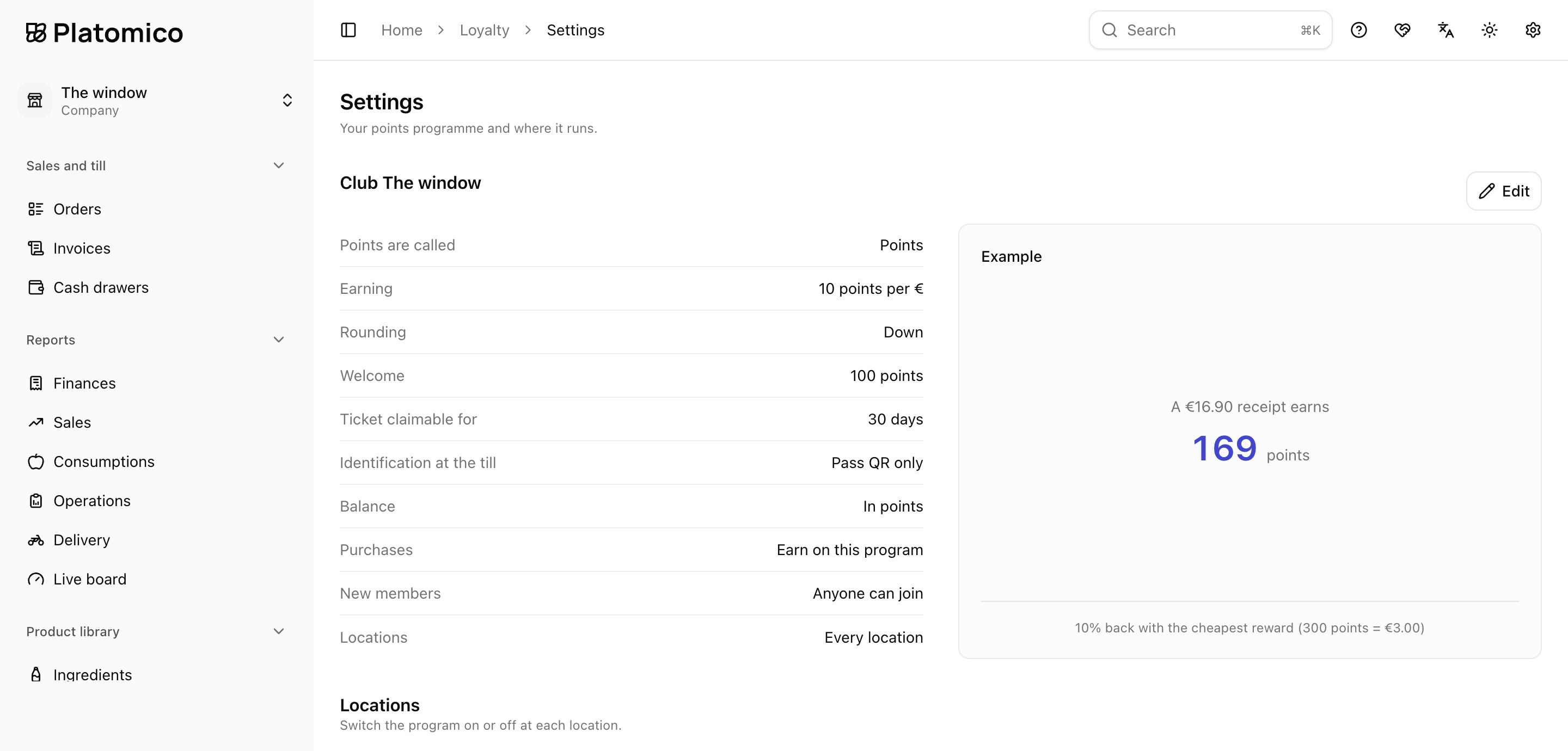
- Create the program: how many points each euro earns, the welcome points and the locations where it runs. See Setting up your points or stamps program.
- Create at least one reward. Without rewards, your customers earn but cannot spend. See Loyalty rewards.
- Design the card with your colours and your logo. See Designing the Wallet card.
- Switch Loyalty on at each location, in the "Locations" table in Loyalty › Settings.
- Close and reopen the POS and kiosk app at those locations, and run a test (below).
- Show your team how it works at the till. See Loyalty at the POS and the kiosk.
- Invite your customers by text or email. See Members and invitations.
Choosing the points and the first reward
Think first about how much you want to give back and how many visits it should take to reach the first reward. For example, with 10 points per euro and a 500-point reward worth €5 off:
- A customer spending €12 a visit earns 120 points, so they reach the reward on their fifth visit.
- The reward gives back 10% of what was spent. The "Return" column in Rewards works it out for you.
A first reward that is easy to reach brings people back. You can add more expensive rewards later.
Running a test before you open it
At a location that is already switched on:
- Ring up a small order and, at the loyalty step, tap "New member" and sign yourself up with your own phone number.
- Scan the QR printed on the receipt with your phone and add the card to your Wallet.
- Ring up another order, tap "Scan card", scan your card and check that it earns.
- Once you have enough points, redeem a reward. If you are short, add points to yourself from your profile in Loyalty › Members with "Adjust points".
If the POS does not show the loyalty step, check that the location is "Active" in Settings and reopen the app.
What to tell your team
- At every checkout, ask "Want to earn points with this order?" and scan the customer's card, or look them up by phone if you switched that on.
- Before signing a customer up, ask whether they accept the privacy policy and the program's terms.
- If the customer does not want to identify themselves, "Skip": their receipt lets them earn the points later.
- Refunds adjust the points on their own, and tips never earn.
Following how it goes
Loyalty › Statistics shows your members, the points issued and redeemed, the points your customers have not spent yet and suggestions to improve. See Loyalty statistics.
Was this article helpful?